Mobile-first API workbench

API work that still feels composed when you're away from your desk.

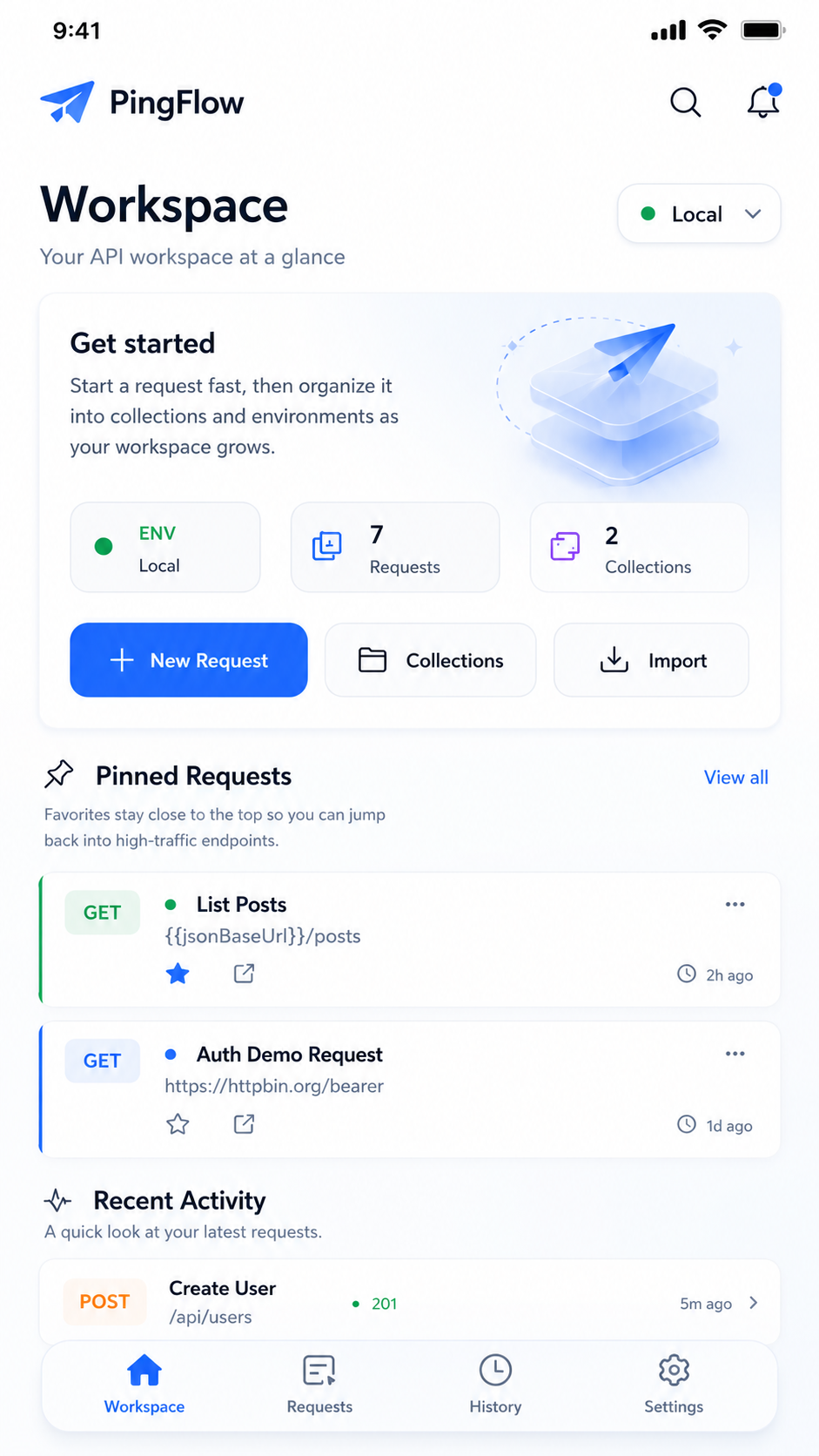
PinguFlow turns your phone into a focused API workspace with collections, secure environments, response testing, and history that stays with you.

Built for movement

Draft, inspect, and rerun requests without parking work in a browser tab.

Local by default

Workspace data stays on-device until you intentionally run, export, or share something.

  • 7 HTTP methods built in
  • 4 response views for every run
  • 0 accounts required to get started
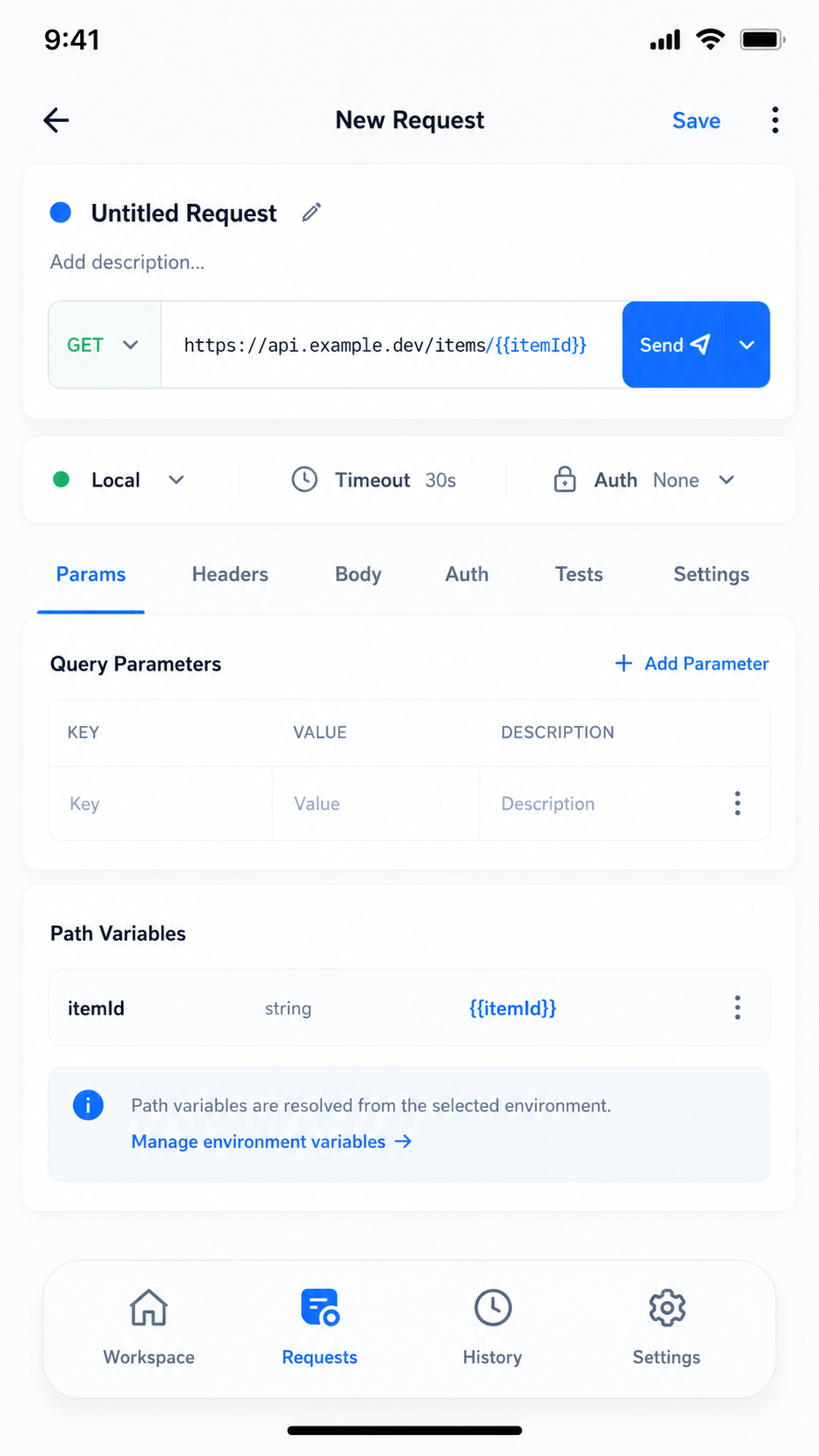
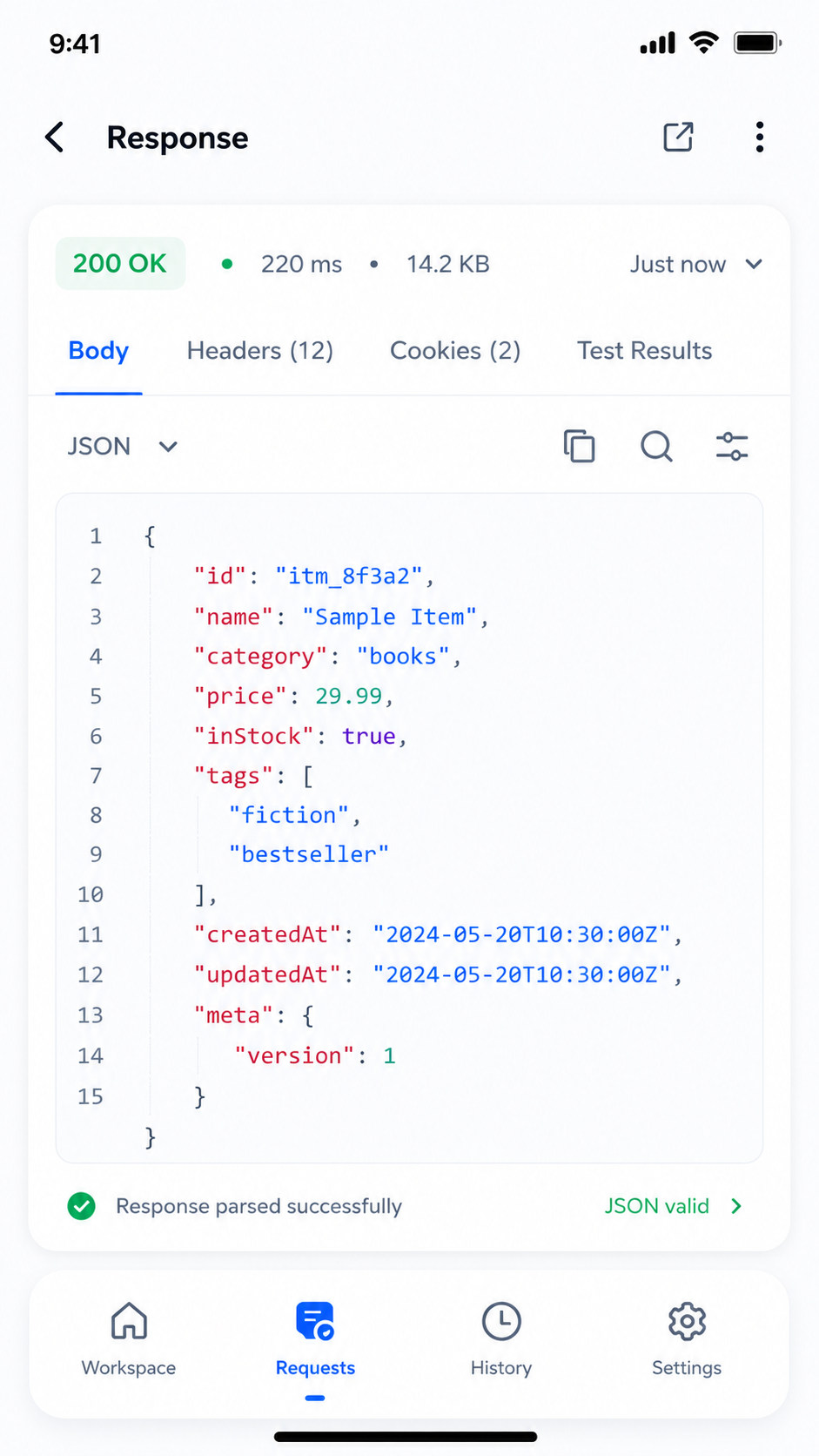
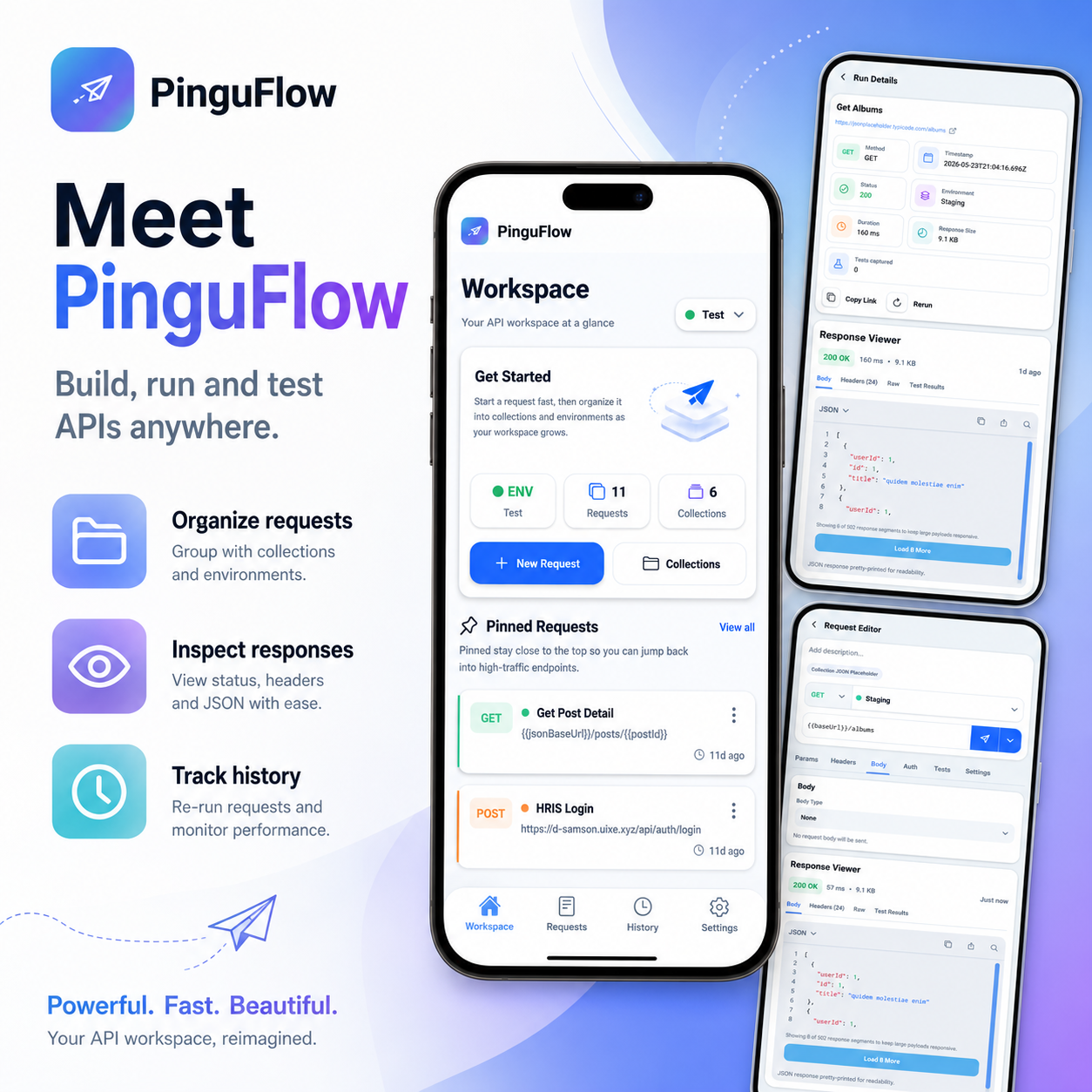
PinguFlow app screens showing the workspace, run details, request editor, and response viewer.

Available on Google Play

Download PinguFlow and install your mobile API workspace.

Build, run, and test APIs anywhere with organized requests, environments, response inspection, and history on your Android device.

Built for real API work

Fast to open. Hard to outgrow.

PinguFlow is shaped around the moments when you need just enough power on your phone to move work forward instead of waiting to get back to a laptop.

Inside the flow

Every screen is designed to keep request authoring, response reading, and follow-up actions in one compact loop.

That means less context switching, fewer half-finished notes, and a cleaner path from idea to confirmed response.

01

Compose requests with the full context in view

URLs, params, headers, auth, body, and tests live in one mobile flow, so you can shape a request without hopping across tools.

02

Keep workspaces organized on-device

Save requests, group them into collections and folders, and carry environment values with you without depending on a web dashboard.

03

Inspect every response with useful structure

Review pretty-printed JSON, raw output, headers, and test results while keeping a run history for quick reruns.

Feature set

A focused toolkit for request authoring on the move.

PinguFlow is designed around mobile constraints without shrinking the job. It gives you the pieces that matter most when you are debugging, validating, or sharing API work away from your laptop.

  • Author requests, auth, bodies, and tests in one place.
  • Keep collections and environments structured on-device.
  • Inspect results with history that preserves context.

Request builder

Author URLs, auth, payloads, and tests in a single pass

Use raw, JSON, form-urlencoded, or form-data bodies with secure auth modes and environment-aware variable resolution.

Collections

Keep APIs tidy

Group requests into collections, folders, and favorites so repeat work stays structured instead of scattered.

Environments

Switch context safely

Move between local, staging, and production-style environments while keeping secret-backed values protected on-device.

Validation

Test what came back

Check status codes, fields, values, and array lengths directly against live responses without leaving the run view.

History

Rerun from memory

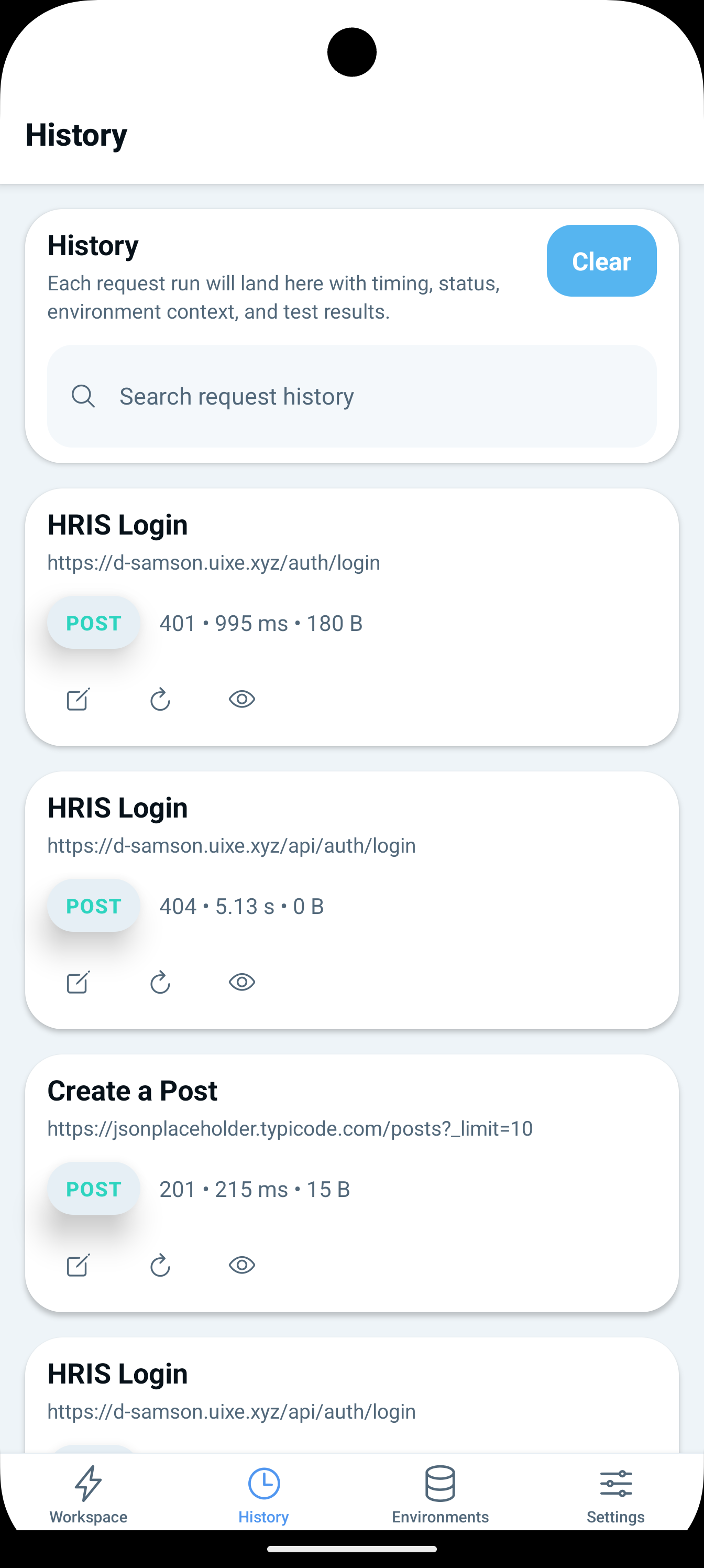
Keep a timestamped record of previous calls with duration, status, and test outcomes for fast comparison.

Workflow

From draft to verified response in three tight loops.

The product is intentionally local-first. Your workspace remains on the device until you decide to send a request, export data, or paste content into another tool.

  1. 1

    Prepare the request

    Define the endpoint, add headers and auth, and preview environment-resolved values before anything is sent.

  2. 2

    Send it on your terms

    PinguFlow only reaches out when you trigger a live request. The target API then receives the data needed to answer.

  3. 3

    Inspect, test, and rerun

    Review the body, headers, raw output, and test results, then save the request or rerun it from history.

Privacy forward

The privacy story is part of the product story.

PinguFlow is currently built as a local-first utility app. That means the default posture is simple: keep workspace data on the device, protect secret values with secure storage, and only send network traffic when the user explicitly runs a request.

Full legal copy

Read the privacy policy

The policy reflects the current implementation in this repository, including secure storage, clipboard actions, and the lack of built-in analytics SDKs.

Open policy

Stored locally

Requests, collections, folders, environments, history, and app settings are kept on-device.

Secrets separated

Tokens, passwords, API keys, and secret environment values are stored using secure OS-backed storage.

User-controlled sharing

Clipboard exports, pasted imports, and live API requests only happen when the user initiates them.

Support the developer

Help keep PinguFlow growing with ongoing care.

Love using PinguFlow? You can help support its continued growth and development through secure Stripe checkout. Every contribution, even something as simple as buying the developer a coffee, helps keep PinguFlow improving with new features, updates, and ongoing care.

PinguFlow

A calmer way to handle API work from your phone.